
Get Started with PrioMind
This guide walks you through making your first team decision with PrioMind. By the end, you'll have a structured, transparent decision with input from your team — not just another meeting with a vague outcome.
SOLO DECISION-MAKER?
PrioMind works great for personal decisions, too. The flow is the same — just skip the team setup. You still get advisors on the free Butterfly plan (up to 2 per decision).
1. Set Up Your Team
If you haven't already, create a team from your dashboard. Give it a name that reflects the group (e.g., "New Horizon" or "Board of Directors").
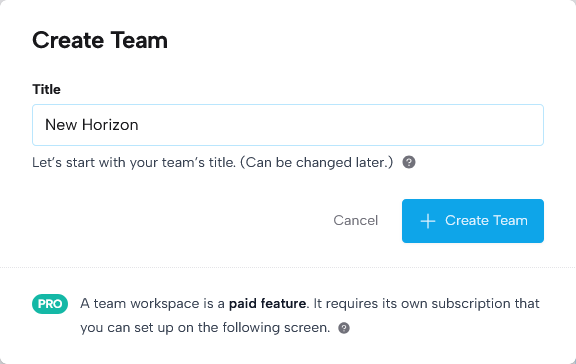
Then select a subscription for your team and invite your team members — each member occupies a paid seat on your subscription.
Your team is your decision-making workspace. All decisions you create here are shared with your members, and you can build advisor pools over time for quick access to your trusted experts.
2. Create a Decision
Hit "Create Decision" from your team's dashboard. Give it a clear title — something specific enough that anyone on the team knows what it's about at a glance (e.g., "Q2 Feature Roadmap").
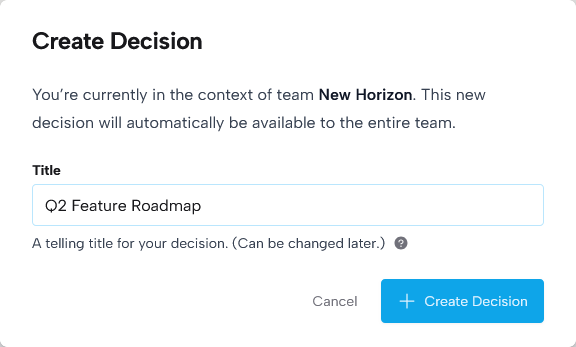
This brings you to the decision's "Control Tower." The new decision starts in status drafting.
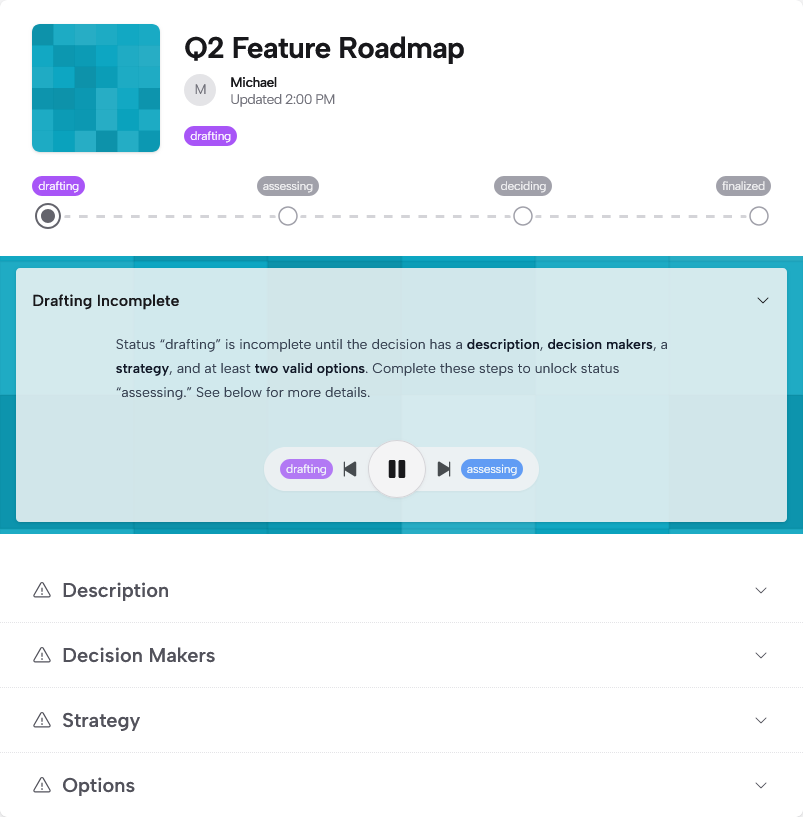
There, fill in:
- Description: What's the context? Why does this matter now? What's the cost of not deciding? Keep it concise — link to detailed docs elsewhere if needed.
- Decision Makers: Who has the final call? Assign this to roles, not people — the role accountable for the outcome.
- Strategy: What's the bigger picture this decision serves? This helps everyone rate options against the same north star.
3. Add Your Options
Add the options your team is choosing between. These should be the result of some prior research or brainstorming — PrioMind helps you evaluate options, not generate them.
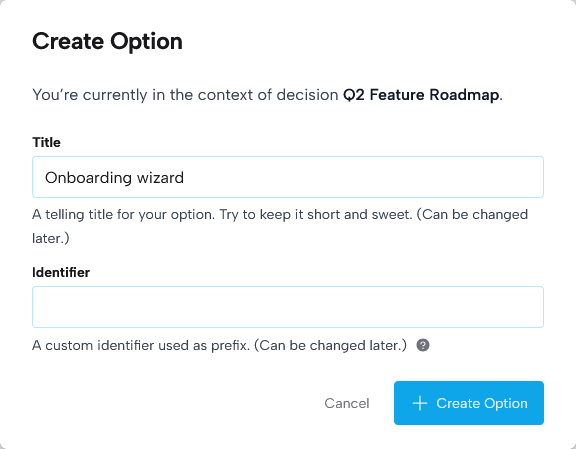
You'll arrive at the option overview.
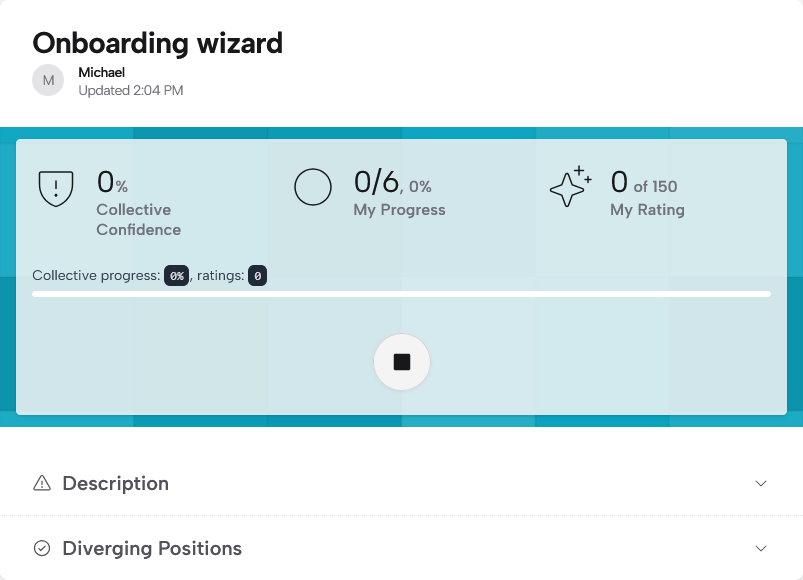
For each option, write a brief description covering what makes it attractive, what's required to execute it, and any known risks. Give your team enough context to rate it meaningfully.
All options will show in the table on the decision page.
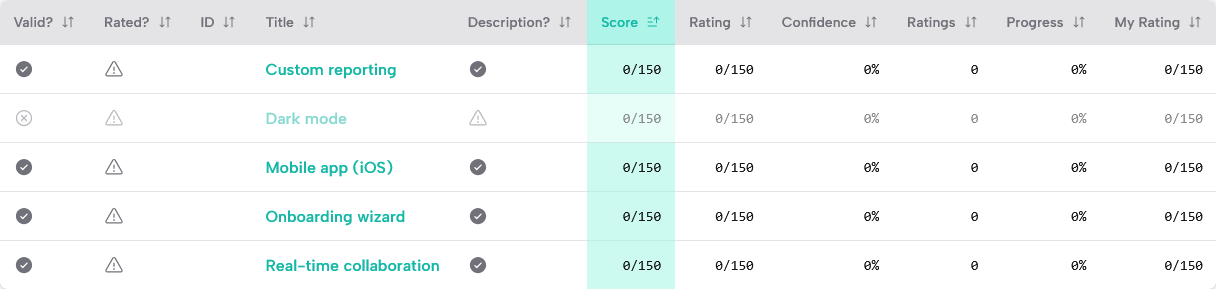
HOW MANY OPTIONS?
There's no magic number. Some of the most important decisions are binary — do we, or don't we? Others involve evaluating dozens of candidates. PrioMind handles both. That said, pre-selecting and discarding weaker options upfront helps your team focus on what matters most.
4. Invite Advisors
This is where PrioMind shines. Advisors contribute their expertise through ratings and comments — at no extra cost. They're your subject matter experts, stakeholders, or anyone whose perspective would improve the decision.
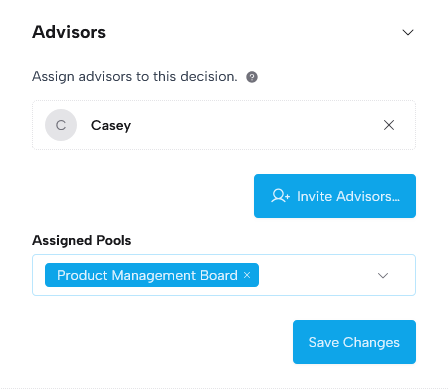
Invite them from the decision settings, or — if you know you'll work with the same advisors across multiple decisions — add them to your team's advisor pools for quick reuse. Either way, they'll get access to rate and comment, but can't modify the decision itself.
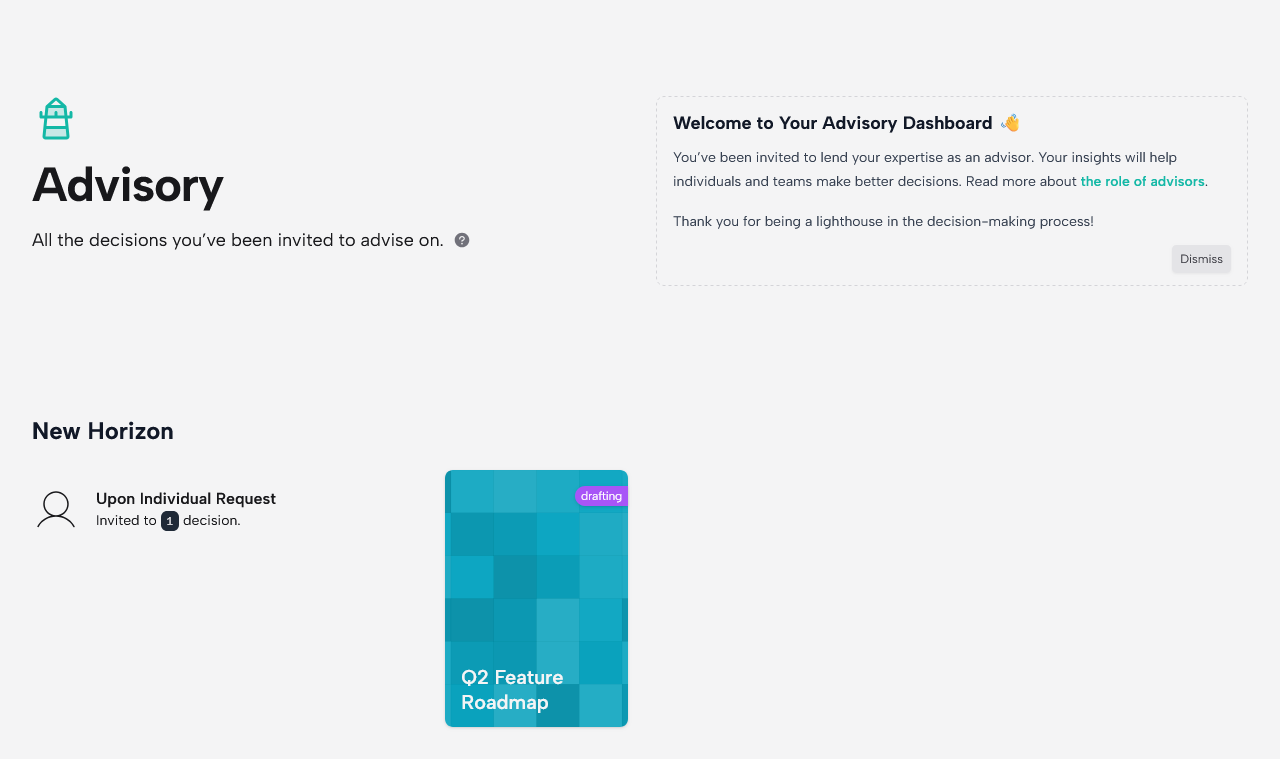
Advisors will then see this decision in their dashboard:
5. Advance to Assessing
Once your options and strategy are in place, advance the decision to assessing. This signals to your team and advisors that it's time to rate.
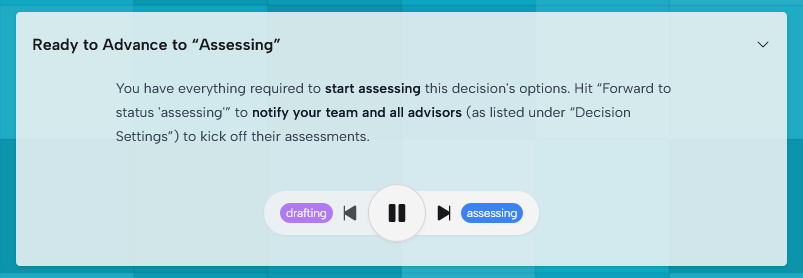
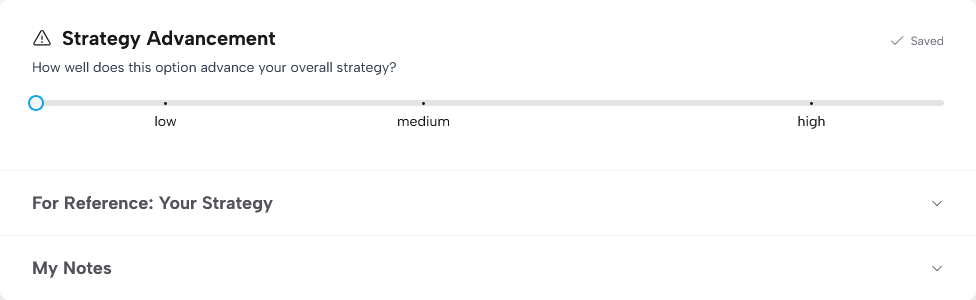
Everyone rates each option against the SOURC·E® criteria:
| Criterion | The question it answers |
|---|---|
| Strategy | Does this align with our goals? |
| Opportunity | What's the upside potential? |
| Urgency | Is timing a factor? |
| Risk | What does this mitigate or introduce? |
| Capability | Can we actually pull this off? |
| Confidence | How sure am I about my own assessment? |
Each criterion is rated low (1), medium (3), or high (6). Simple, fast, and enough to surface meaningful differences.
6. Discuss Diverging Positions
This is the most valuable part of the process. After ratings come in, PrioMind highlights diverging positions — options where your team's ratings vary significantly.
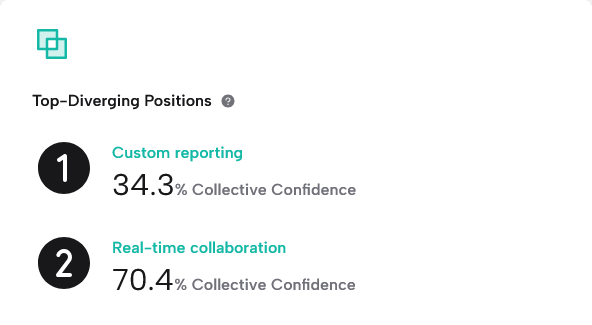
A low collective confidence level on an option — meaning the team's ratings diverge, not just one person's self-assessed confidence — usually means someone knows something the others don't. Use comments or a quick conversation to unpack why people rated differently. The goal isn't to force agreement — it's to make sure everyone is working with the same information.
After the discussion, people can adjust their ratings if they want to. Or not. Both are fine.
7. Decide and Communicate
When the assessment is solid, advance to deciding. The designated decision-makers — not necessarily the person who set up the decision — review the top-scoring options, weigh the discussions, and make the final call.
Document the result — what was decided, and briefly why. Then advance to finalized to see the summary and communicate the outcome to everyone involved.
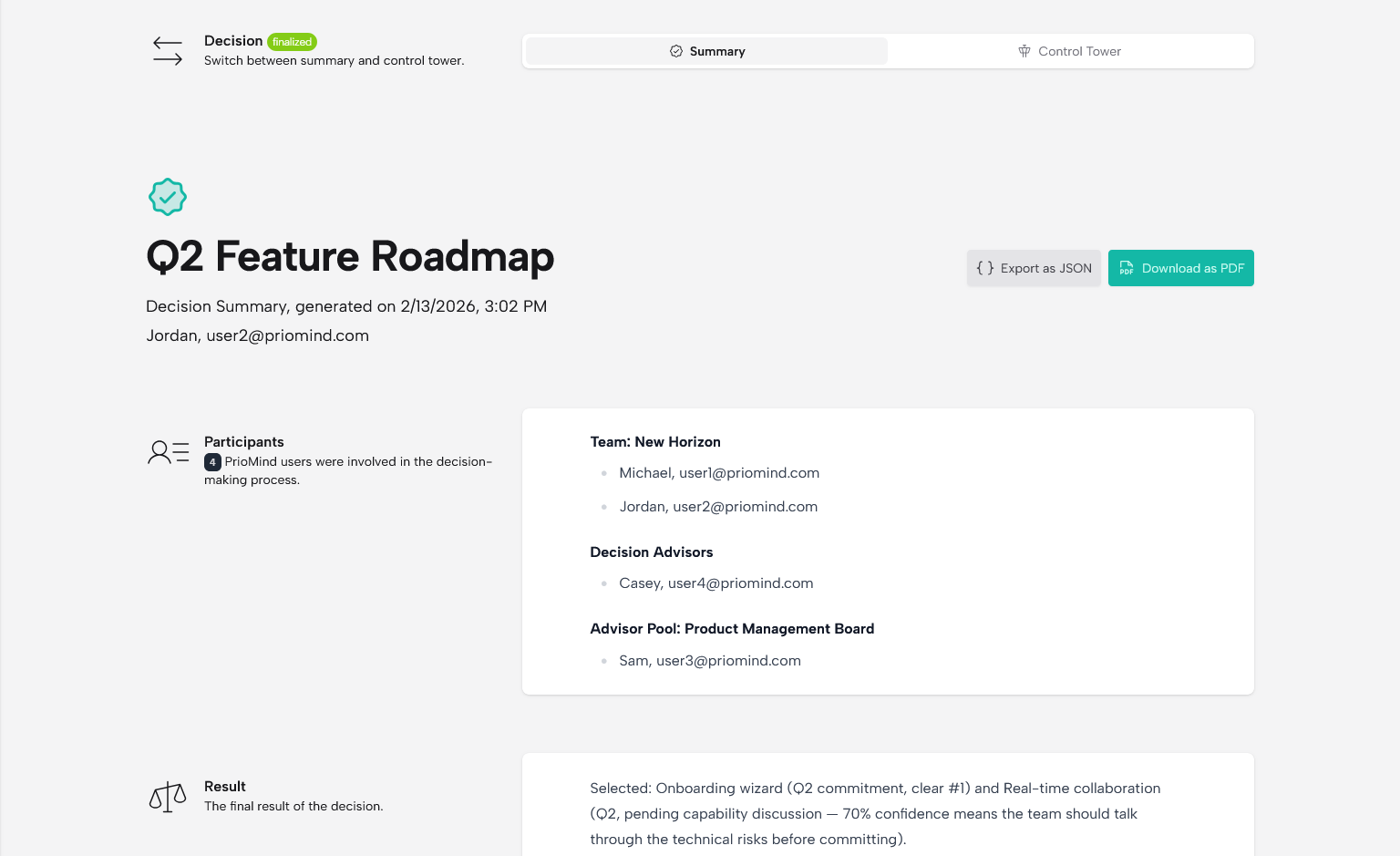
That's it. Your team just made a structured, transparent decision — with a clear record of who contributed what, where opinions diverged, and how the final call was made.
What You Just Gained
- A repeatable process you can use for the next decision, and the one after that
- Transparency — everyone sees the same data and knows how the decision was reached
- A decision record — months from now, you can revisit why you chose what you chose
- Diverse input without the cost — advisors contributed for free
- A portable result — export your decision as PDF or JSON to archive it alongside your other organizational records
Ready to create your first decision? Head to your dashboard and get started.